Quite Software has been around for 28 years and is still the most-used imposition application. Every marketer would say its website looks 'medieval' — but the software keeps running happily, and last month version 6 was launched.
Step and repeat
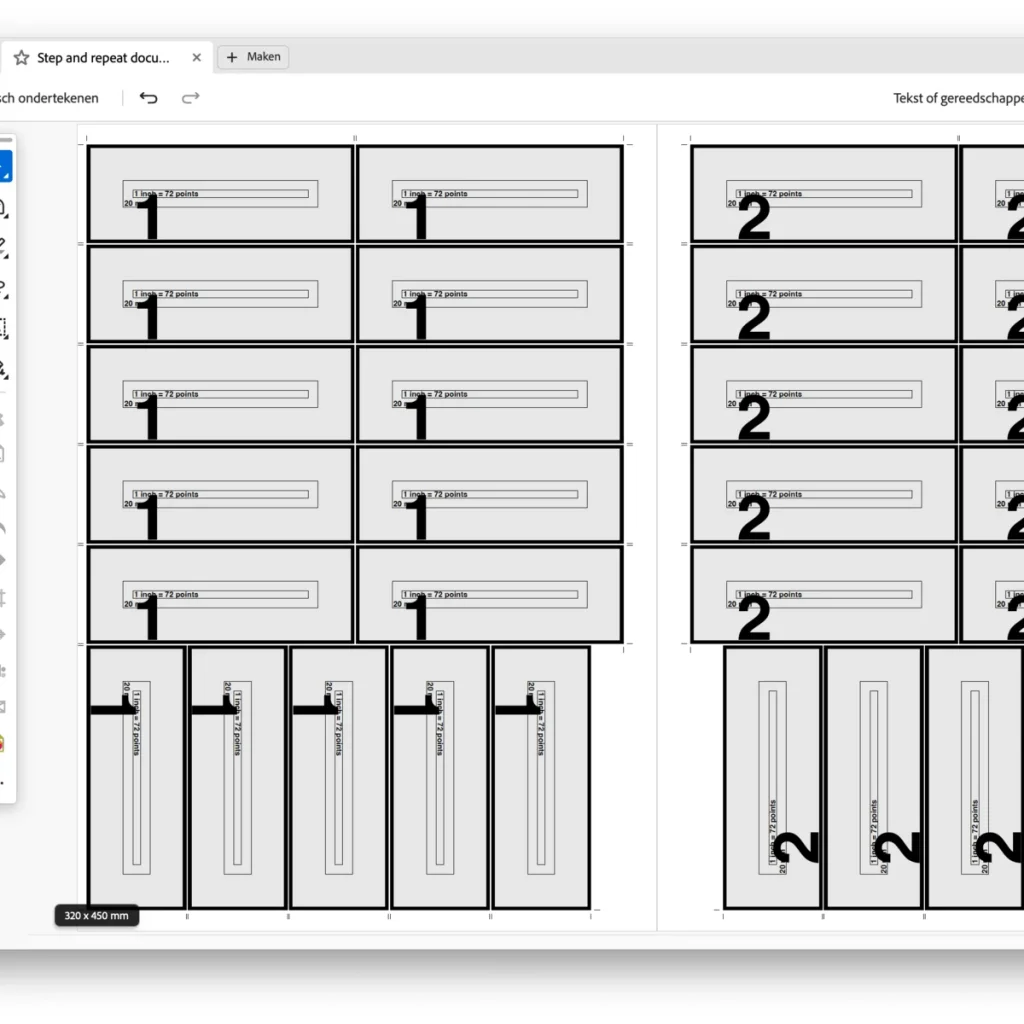
Anyone using Quite Imposing Plus knows N-up pages and Step & Repeat. Quite recently added a feature I don't want to keep from you: 'Layout: Allow rotation if it will fit more pages per sheet'. Not true-shape nesting (fitting free shapes together), but a simple ganging method: combining rectangular jobs better on one sheet. Quite is not expensive, making it a perfect alternative to pricier applications.
Step-by-step
Start with Step & Repeat and choose in the first window:
Sheets will not be trimmed;
Place all pages at full size (100%).
In the second window:
Margins — space at edge of the sheet: 5 mm;
Add crop marks (Distance: 2 / Length: 3 mm).
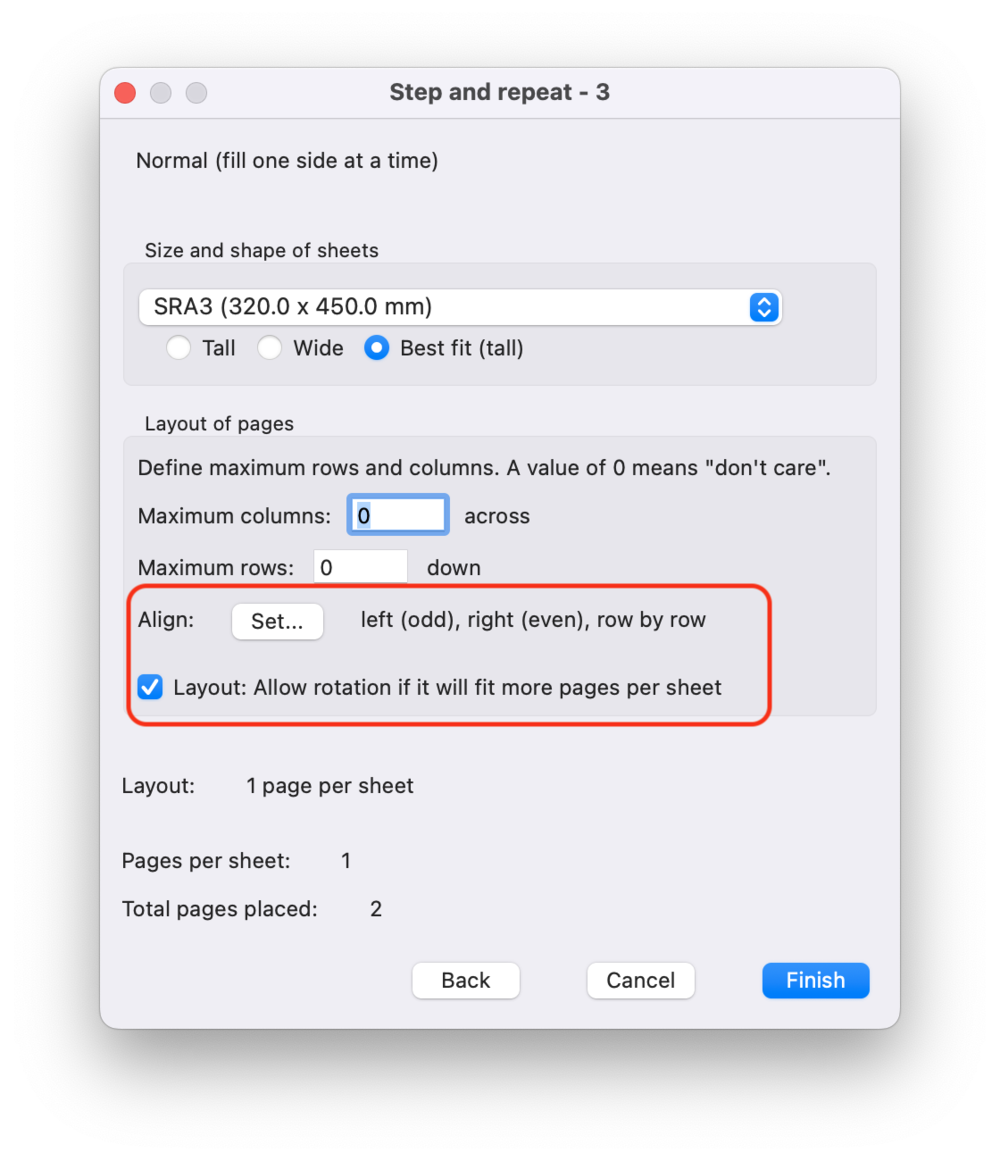
In the third window you'll find the newest function (a small checkbox): 'Layout: Allow rotation if it will fit more pages per sheet'. It rotates rows or columns after a regular N-up or Step & Repeat to fit more on the sheet.
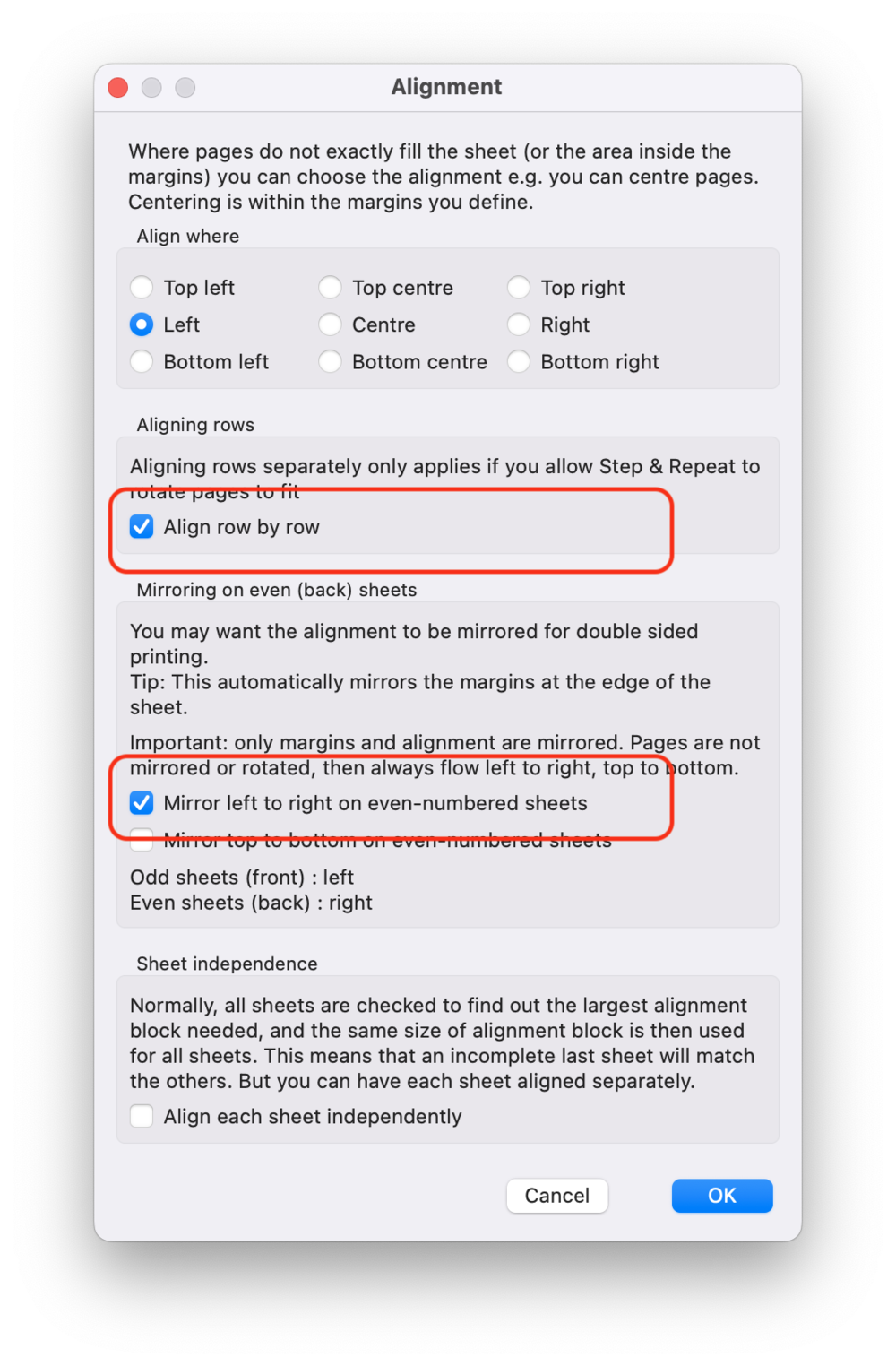
Now pay attention: we take a detour to 'Align'. Choose 'Align by row', because what is on the left of the front must be on the right of the back — front and back plates must register. Also enable 'Mirror left to right on even-numbered sheets' so the margins stay equal.
Important: Quite is not Enfocus Griffin, Phoenix or Caldera PrimeCenter — for true nesting this is not the tool. But if you have space left on your sheet and it can be a bit more efficient, this is a very handy function. It works for N-up too, of course.
Other functions
Generating bleed
Everyone knows PitStop for adding bleed, but Quite now has such a function too — by mirroring page edges or scaling the entire page so it fills the bleed area. Handy to fix something at the last moment.
Limited stack depth and multiple ticket types
Reshuffling pages for imposition is a core task. Cut-stacks are common with blocks, booklets and tickets. There are now options to limit the stack depth or fill sheets.
Large PDFs
Quite Imposing was until now limited to a maximum page size of 200 inches / 5080 mm. Some tools — including recent versions of Adobe Illustrator — scale automatically for large format. The Quite Imposing family now handles larger page scales transparently, with appropriate warnings.