
On 7 July 2026, Enfocus released PitStop 26.07 — for both PitStop Pro and PitStop Server. This release is all about working safely: PitStop Pro now runs fully within Adobe Protected Mode. On top of that, it brings a handful of practical improvements that make your day-to-day prepress that bit smoother. Here is a walk-through of the most important changes.
Full support for Protected Mode
The biggest change in 26.07 is that PitStop Pro now works fully with Protected Mode, the secure sandbox in Adobe Acrobat. From August 2026, Adobe will enforce Protected Mode, which means plug-ins that are not prepared for it will be blocked. PitStop Pro 26.07 is prepared, so it keeps working safely inside Acrobat. Still on an older version? Then now is the time to upgrade.
Want to know exactly what Protected Mode means for your workstations — and why a subscription is attractive here? Read our in-depth article on Protected Mode and subscription.
Layer properties panel in the Inspector
The Enfocus Inspector gains a new Layer properties panel. In a single overview you see every layer in a PDF along with its properties, and you edit them directly from that panel. For files with lots of layers — think packaging work with technical layers, white layers or die-cut lines — that saves a lot of clicking and searching. You stay in control of what each layer contains and edit them more efficiently.
Smarter checking of thin parts
Checking for parts that are too thin — 'thin parts' — used to be limited to strokes and filled rectangles. From 26.07, PitStop also detects small shapes and areas that are too fine to print reliably. That lets you catch hairlines, tiny elements and overly thin knockouts early in the process, before they cause problems on press. A small extension with an immediate gain for your print quality.
Adding multiline text
The 'Add object - Text' Action now supports multiline input. Where you previously had to place a text object per line, you can now add text spread over multiple lines to a PDF in one go. On top of that, multiline text can now also be used in variables. Handy for things like address blocks, disclaimers or product information that you place onto files automatically.
PitStop Server: TIFF as an input format
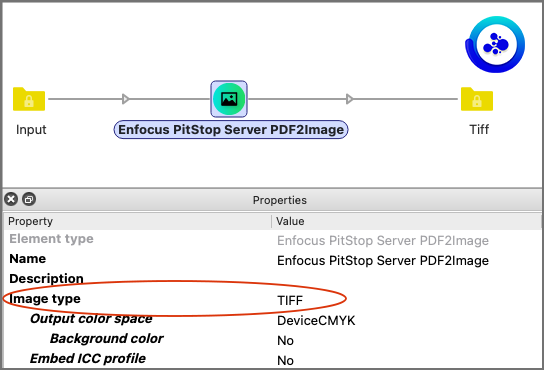
PitStop Server 26.07 gets a useful extension too: you can now feed TIFF files directly as input, both via the command line (CLI) and via the Switch apps. In automated workflows you no longer need to convert TIFF images separately first — Server picks them up directly. That makes combining image and PDF processing in a single flow considerably easier.
Conclusion
PitStop 26.07 is above all a release that lets you carry on without worry: with Protected Mode support you are ready for the upcoming Acrobat change, and the smaller improvements — the Layer properties panel, the broader thin-parts check, multiline text and TIFF input in Server — make your daily prepress that bit more efficient. Our tip: plan your upgrade in good time, especially if you are still on an older version. We are happy to help you find the best setup for your workflow.