Quite Imposing Plus 4.0d has just been released. Users of version 4.0 can download it for free; users of Quite Imposing (Plus) 3.0 can purchase it from us. Since version 4.0 there is no longer any difference between Quite Imposing and Quite Imposing Plus.
Improvements in Quite Imposing Plus 4.0b
updates to work with the latest version of Acrobat DC — in particular the new 'tab' functionality;
bug fixes, especially in the manual imposition screen;
some improvements to the display of the actions to be performed during manual imposition and bleed.
Available for Mac or Windows. System requirements: Adobe Acrobat 9.0, 10.0, 11.0 or DC (Professional or Standard). Install with the application closed.
What is Quite Imposing Plus 4?
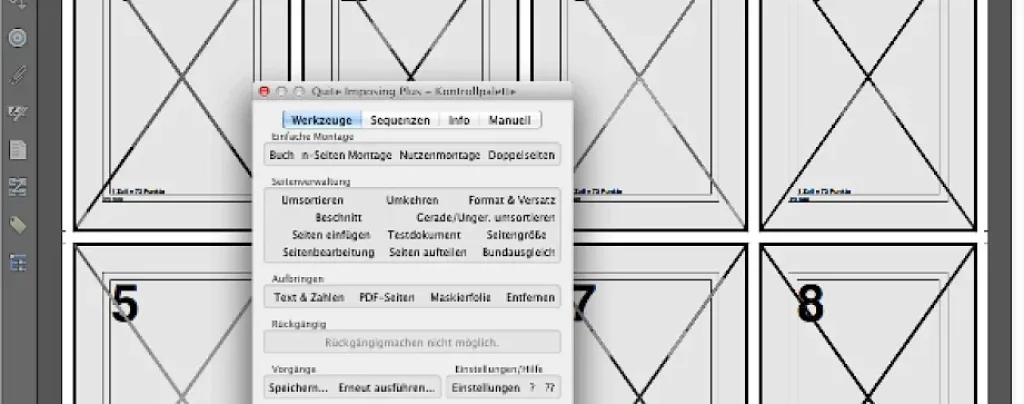
Quite Imposing Plus is a plug-in for Adobe Acrobat 9, X (10), XI (11) and DC. It does imposition: combining pages on larger sheets to make booklets, for example. Creating brochures or arranging complex imposition functions has never been so easy.
Quite Imposing Plus is extremely fast and fairly easy to learn. The features give immediate results and show exactly what you are doing.
A particularly important feature is that the combined pages are placed in a new PDF document, without modifications, rendering and so on. This prevents errors and preserves your original PDF document.
Quite Imposing Plus has many more options, such as duplicating pages and adding data or page numbers, plus a powerful function to perform complex impositions with a single click. In addition, Quite Imposing can reorganise, split and merge pages.