Automation in print workflows is often event-driven: a file comes in and something happens. But not all tasks depend on input — some actions you simply want to run at a fixed time. Think of batch processing, cleaning up folders or running heavy processes outside production hours. That's where Cron comes in.
What is Cron?
Cron is a time-based scheduler that originated on Unix systems some 50 years ago. With it you run tasks on a fixed schedule: every hour, every night, every Monday or, say, every 15 minutes. The schedule is captured in a cron expression of five parts: minute, hour, day-of-month, month and day-of-week. A few examples:
0 * * * * → every hour;
0 22 * * * → every day at 22:00;
*/15 * * * * → every 15 minutes;
0 6 * * 1-5 → every weekday at 06:00.
The advantage of Cron: simple, predictable and very flexible.
Applying Cron in practice
In production environments Cron is often used for tasks that don't need to run continuously:
Nightly batch processing;
Periodically cleaning up folders;
Processing collected jobs in one go;
Generating reports or exports;
Heavy processes outside peak hours.
Test Cron before use
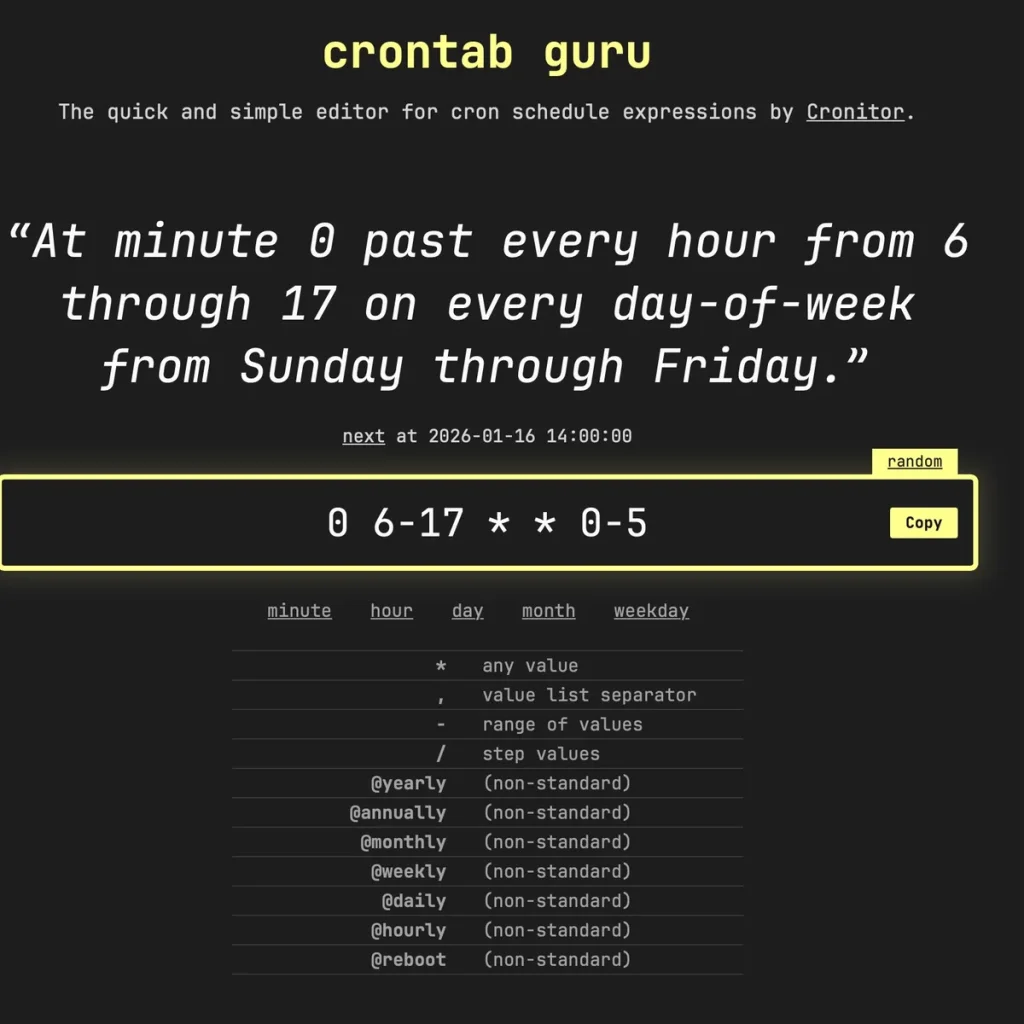
Because cron expressions are compact, a small mistake is easily made. So test them at https://crontab.guru: enter a line and instantly see in plain language what it does. Highly recommended before you put a schedule into production, so you're sure the workflow starts at the right moment.
Cron Scheduler in Griffin Auto for Switch
In Griffin Auto (the Enfocus Switch app) you can use Cron directly in the workflow too. This gives Switch a fully time-driven start mechanism. The Cron Scheduler is set via the JSON configuration; once the set time is reached, Griffin Auto activates itself — without a file having to arrive. This enables workflows such as:
Collect files during the day, process them at night;
Check every hour whether a folder is ready for production;
Run weekly maintenance automatically;
Combine time-driven logic with filtering and conditions.
Griffin Auto thus acts as the director: it decides when the nest starts.
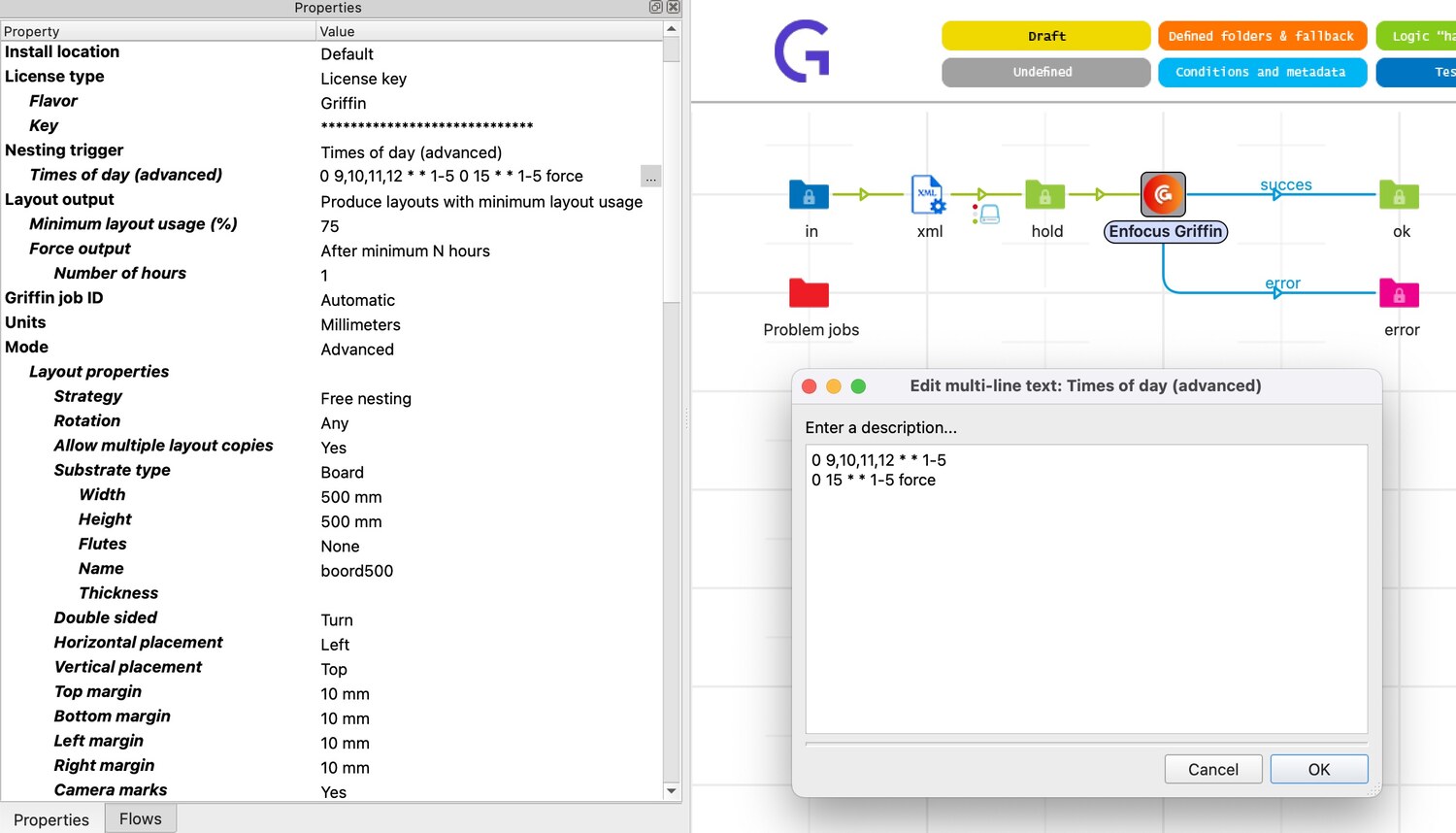
In this example each nest requires at least 75% coverage, runs every weekday from 9–12, and forces all output at 15:00 (you don't want anything stuck forever):
0 9,10,11,12 * * 1-5 — every full hour at 9:00, 10:00, 11:00 and 12:00, Monday to Friday;
0 15 * * 1-5 — every weekday at 15:00;
The 'force' is a handy Griffin Auto function that forces all nests to run.