How does it work?
Usually these are double-sided booklets. The assumption is that the first and last 2 pages are the cover and the rest is the inner content. But feel free to be creative!
The steps
It all comes down to two PitStop Actions. You can create these in PitStop Server or test them first in PitStop Pro.
Step 1: The action for the inner content
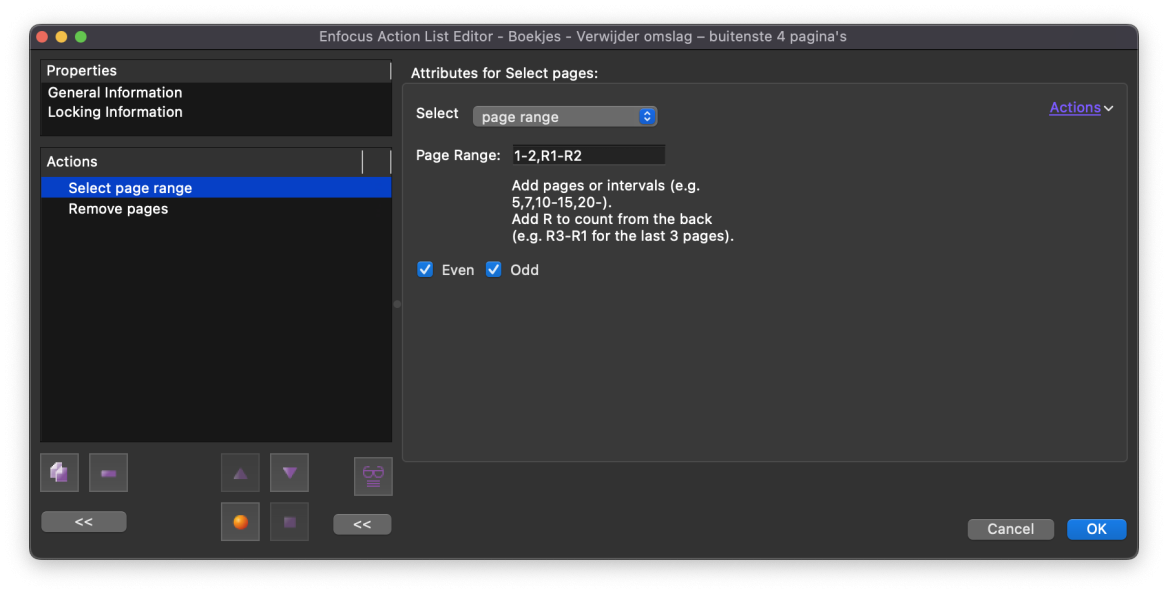
In PitStop, create the action for the inner content. In the first step choose "Page Range: 1-2,R1-R2". The R stands for "Reverse", the last two pages. The second step removes the selection.
Step 2: The action for the cover
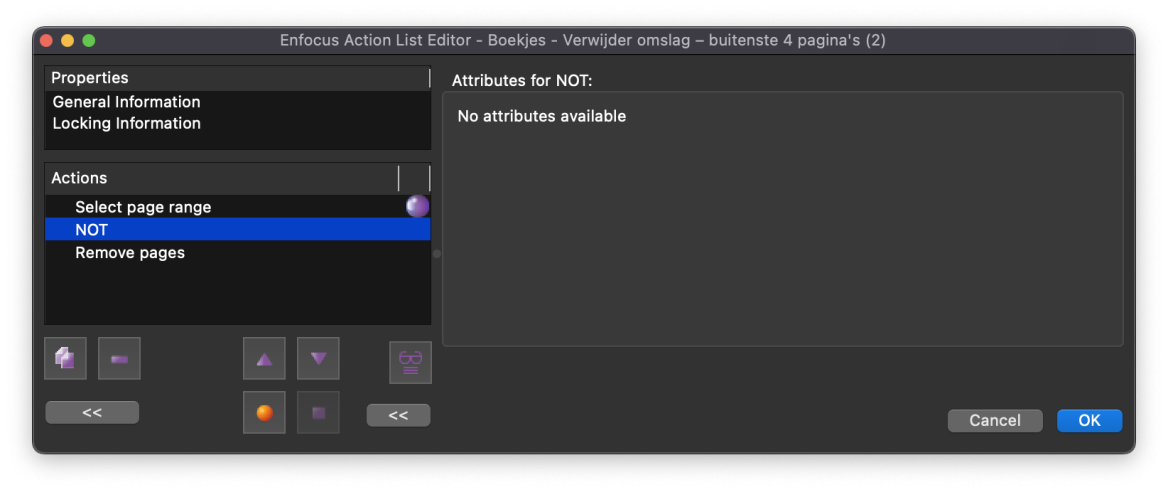
Duplicate the previous action and give it a suitable name. After the first action, simply add the "NOT" operator. This means you do not select the first and last 2 pages of the whole PDF. This step removes the inner content.
Step 3: Build the workflow
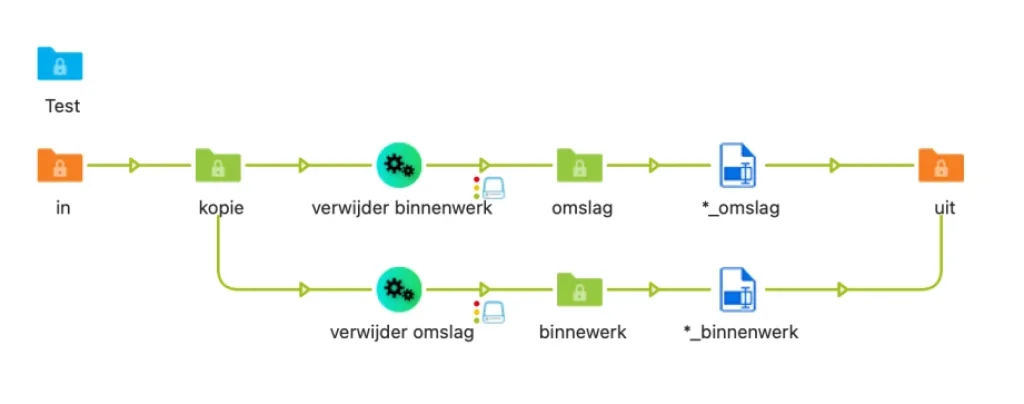
In Switch (part of PitStop Server) create an input folder with two connections to PitStop Server. They have no condition, which means the file is copied. For "remove inner content" and "remove cover" choose the actions you created. For PitStop, do not select colour management or other options — they are not needed here.
Step 4: Rename the files
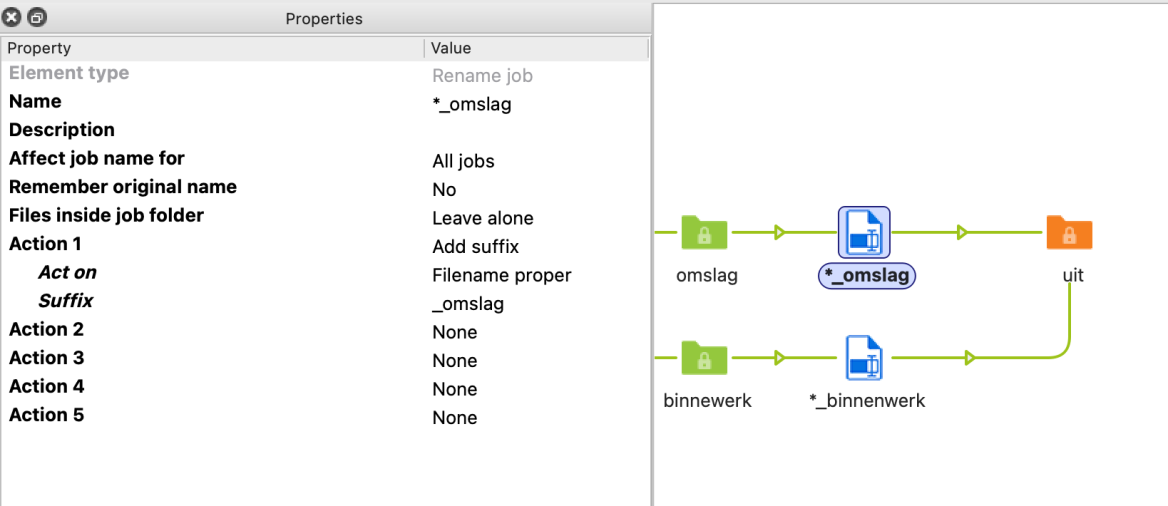
On the outgoing connections, rename the files by appending "_cover" and "_inner". Choose "Add suffix" with "Act on: Filename proper" and the relevant suffix. This way they are not overwritten and are easy to tell apart.
Final notes
These actions open up countless new questions, such as "what if there is no even number of pages?" or "how do I create spreads of the cover and impositions of the inner content?". This can be done in many ways, for example by linking new PitStop Actions to these outputs or adding your favourite imposition program.
Commonly used programs are Quite Hot Imposing, Phoenix, Impostrip or the hotfolders of Fiery and Prinergy. There is also a free app for Enfocus Switch owners: "Uncover PDF". However, it depends on an open-source command-line tool that is not compatible with all processors. That is why the method described above is a better option.